Shifts, stock and closing without Excel and WhatsApp.
Below is the real app. Click around, you can't break anything.

Try clicking the Running-low stock card. Each card opens its own view, management starts with the day's overview.
Demo data, nothing is saved or sent
Who Managero is for
- Café
- Restaurant
- Bar
- Bakery
- Tea and drinks
- Food truck
For every place where shifts rotate, the till gets counted and the milk runs out. One location or several.
Everything your operation needs
Things you'd otherwise juggle across three apps, two notebooks and one head.
Schedule and shifts
The generator suggests shifts based on people's availability. You'll see a clash before you publish the schedule.
In the demo on the right: Schedule
Attendance
Clock in with one tap on a phone or tablet. Hours and wage costs add up by themselves.
In the demo on the right: Tablet at the bar
Closings
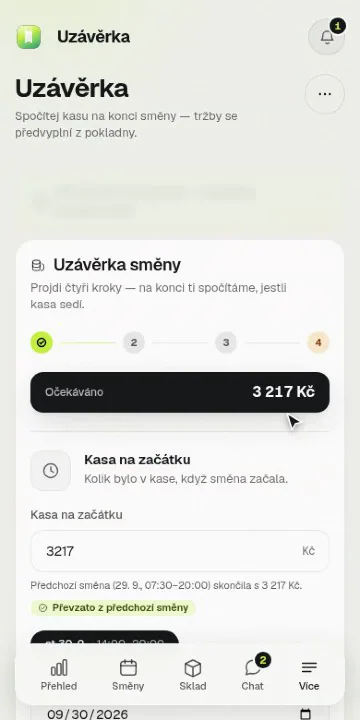
The till counted note by note. A difference is never hidden or rounded away, and until the required tasks are done, the closing stays locked.
In the demo on the right: Closing
Stock
Minimum levels and a shopping list that builds itself. Orders go to suppliers straight from the app.
In the demo on the right: Stock
Recipes
Recipe cost calculated from ingredients by the gram. You see the margin at a glance.
Tasks and procedures
Opening, closing and guides for newcomers. The app keeps an eye on what's required, so you don't have to.
In the demo on the right: Closing
Team chat
Channels, direct messages and polls. The important stuff doesn't get buried under fifty group messages.
Tablet at the bar
One shared tablet without passwords. Tap your name and everyone records their own work.
In the demo on the right: Tablet at the bar
A day with Managero
From opening to closing. The recordings are from the real app, the data in them is made up.
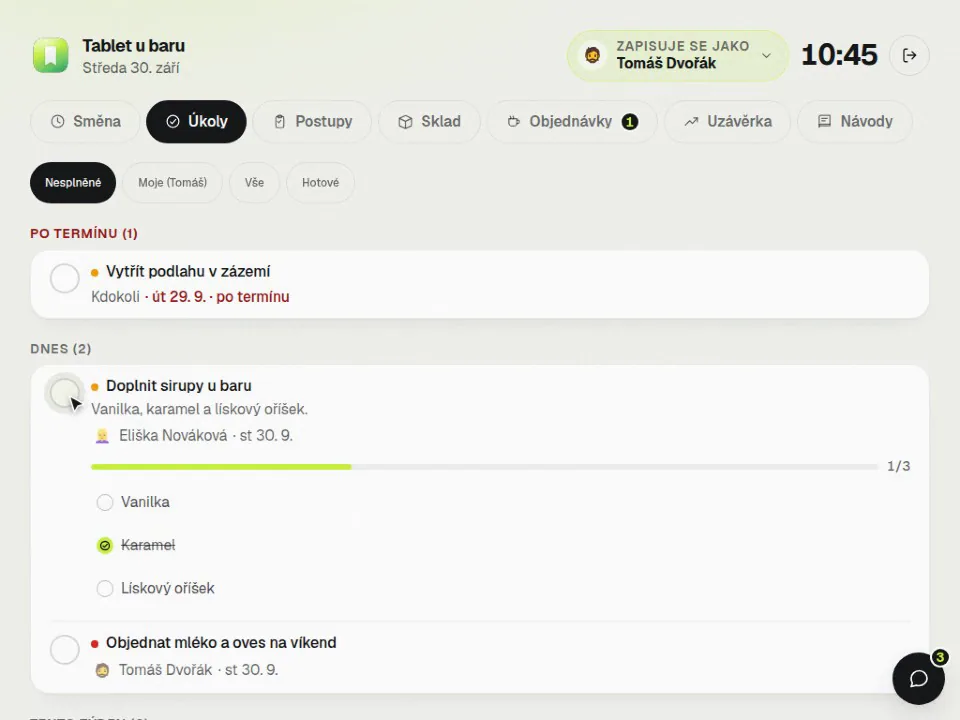
Opening without thinking
The opening procedure and tasks get ticked off on the tablet at the bar. Tap your name and go, no password.
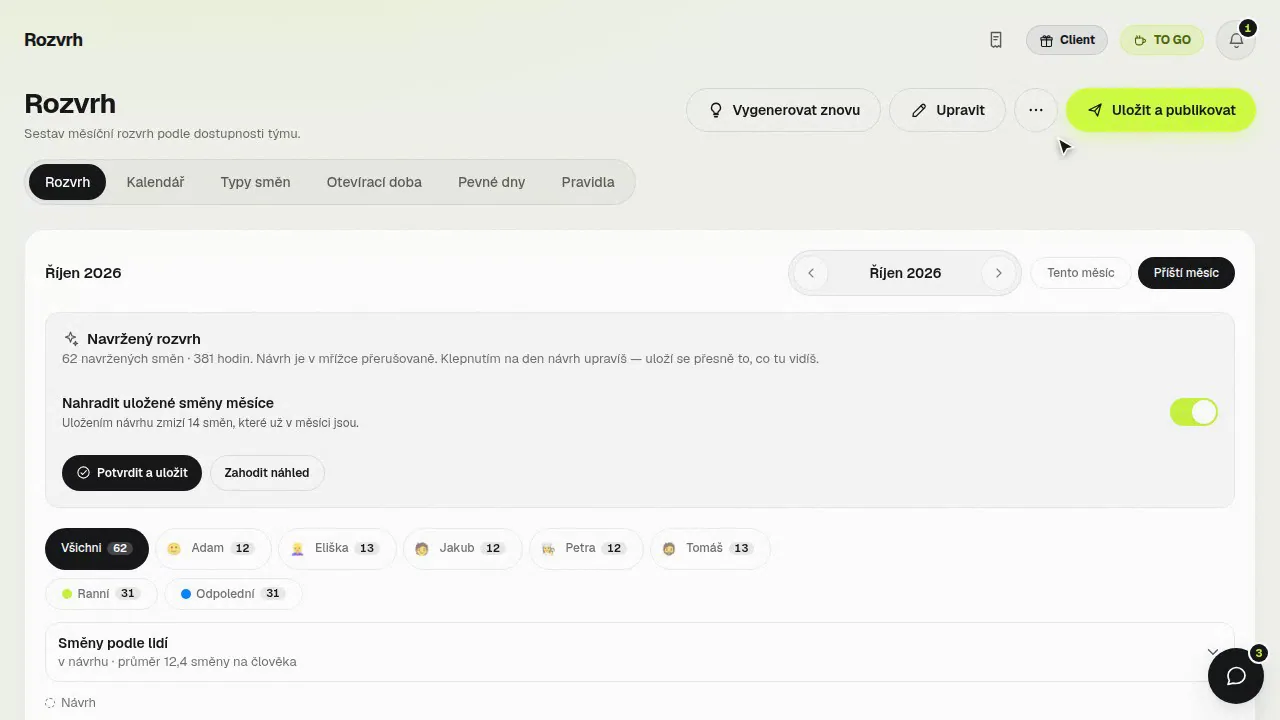
A schedule your team has on their phones
The schedule is built around who's available. Once published, everyone has it on their phone and in their calendar.
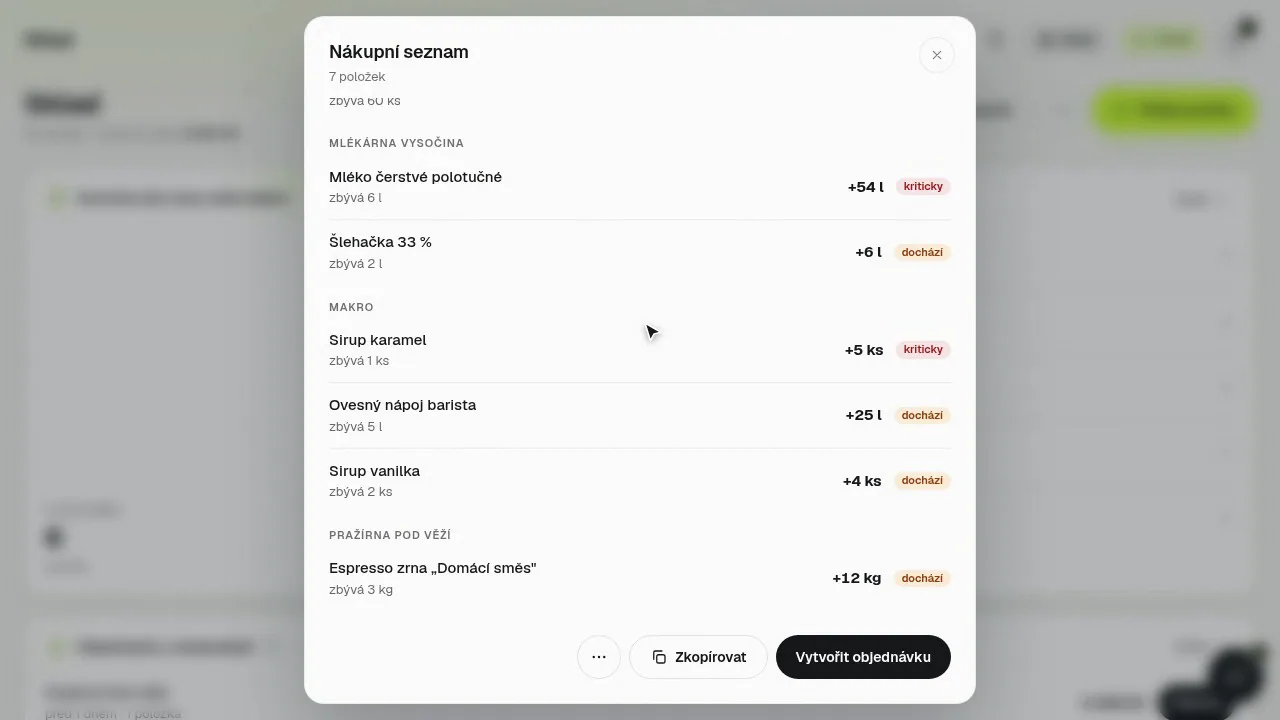
Stock that watches itself
When something runs low, the shopping list is already put together. Supplier orders are created with one click.
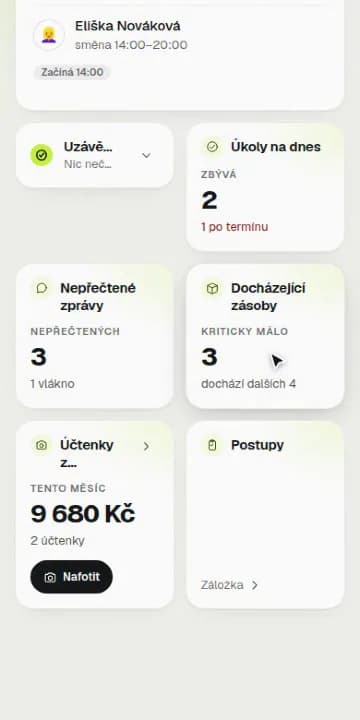
Your business in your pocket
The day's overview, low stock and the schedule on your phone. A few taps, even when you're not on site.
A closing that adds up
The closing won't unlock until the required tasks are done. The till is counted note by note and every difference has an explanation.
Excel, WhatsApp and a notebook, or Managero
Managero isn't measured by how much it can do, but by what disappears from your day once you switch it on.
We're not a till. Managero handles everything around it: people, stock, recipes, closings and guests. Sales can be imported.
Excel is still great for your own calculations. Managero is for running the place.
How you get started
Three steps. No meeting, no implementation and no training for the whole team.
What kind of business do you run?
- Café
- Restaurant
- Bar
- Bakery
- Tea and drinks
- Food truck
ContinueCreate your business
Type of business, name and a few questions about what you want to sort out. No sales meeting.
Join code
K7M2QX
- Petra Marešovájoined
- Tomáš Dvořákjoined
- Eliška Novákovájoined
Invite your team with one code
A code or an email invitation. People join from their own phones and install nothing.
Schedule for next week
PublishedMonTueWedThuFriSatSunEliškaPetraTomášPublish your first schedule
The generator drafts a schedule based on availability, you check it and publish it. From then on, nobody has to ask when they're on tomorrow.
Before you ask about the price
The things that make businesses switch software, and the things that make them leave again.
- rozvrh-rijen.csvDownloaddochazka-rijen.csvDownloadfinance-rijen.csvDownload
Your data is yours
Export any time: schedule, attendance and finances in a format your accountant can open. Nothing is deleted, even after your subscription ends.
- WagesFinanceOwnerManagerPart-timer
Everyone sees only their own
Owner, manager, part-timer. Whoever shouldn't see wages won't see them, not even by accident through a link.
Who are you?
EliškaPetraTomášJakubTablet at the bar without passwords
Tap your name instead of logging in. A shared tablet can't leak a password when it doesn't have one.
- Offline2 changes wait and will be sent automatically
A Wi-Fi outage doesn't lie
The app tells you what didn't go through, keeps what you were typing and finishes the job once the connection is back. Old data is never passed off as new.
- CZKEURPLNSales today16 480 Kč
Koruna, euro or złoty
Choose your business currency and the menu, closings and overviews all count in it. Guests see prices in your business currency.
Before closing 2/3
Closing locked- Take out the bin
- Clean the coffee machine
- Count the till
Nothing gets forgotten
Until the required tasks are done, the closing stays locked. Nobody sends it off half finished.
Simple pricing
Free forever for a small team. You try Pro and Max free for 30 days and the first payment only comes after that.
Free
CZK 0
forever, for up to 3 people
The basics for a small team, free forever.
- Shifts, attendance and requests
- Tasks, guides and chat
- Closings and stock
Pro
RecommendedCZK 499
per month per business
Everything without limits for one business.
- Unlimited team
- Tablet at the bar in kiosk mode
- Rewards, exports and a monthly overview
Max
CZK 999
per month per business
Everything in Pro, plus the other half: guests.
- Loyalty, reservations and table ordering
- Storyous till integration
- Making your own products
How the plans differ
Free includes
- Team members: up to 3
- Shifts, attendance and requests
- Tasks, guides and team chat
- Closings with cash movements and note counting
- Stock with inventory alerts and packages
- Shared menu for customers: 1 link
Pro adds
- Team members: unlimited
- Shared menu for customers: unlimited + custom look
- Kiosk mode for a tablet in the shop
- Shift ratings, rewards and levels
- CSV exports
- Monthly business overview (revenue × wages × purchases)
Max adds to Pro
- Managero client: loyalty, reservations, table orders
- Storyous register integration (sales, write-offs, recipes)
- Producing your own products from recipes
Full comparison, 13 rows
Operations
Team members
Free Up to 3Pro UnlimitedMax UnlimitedShifts, attendance and requests
Free Pro MaxTasks, guides and team chat
Free Pro MaxClosings with cash movements and note counting
Free Pro MaxStock with inventory alerts and packages
Free Pro Max
For a growing business
Kiosk mode for a tablet in the shop
Free Pro MaxShift ratings, rewards and levels
Free Pro MaxCSV exports
Free Pro MaxMonthly business overview (revenue × wages × purchases)
Free Pro Max
For guests
Shared menu for customers
Free 1 linkPro Unlimited + custom lookMax Unlimited + custom lookManagero client: loyalty, reservations, table orders
Free Pro Max
Integrations and production
Storyous register integration (sales, write-offs, recipes)
Free Pro MaxProducing your own products from recipes
Free Pro Max
Frequently asked questions
Short answers to what comes up before you create your business.
Is the demo above the real app?
Yes, it's the real app with made-up data. Everything you do in it stays in your browser and disappears when you reload the page. Nothing is sent and nobody else sees it.
Do I need a card to try it?
Never on the Free plan. You try Pro and Max for 30 days free: you enter a card only at the end of sign-up and the first payment comes after the trial. If you cancel before then, you pay nothing.
How do employees join?
With one code or an email invitation. They join from their phone and see their schedule right away. Nothing to install, it's a web app you can pin to your home screen.
Does it work on a phone?
Yes, the whole app is built for phones, tablets and computers. For the tablet at the bar there's a special mode with big buttons.
Our prices are in euros.
Choose your business currency and everything (menu, closings, overviews) counts in it. Guests see prices in your business currency.
What happens after the trial?
Your subscription starts automatically, or you cancel it and stay on the Free plan with a smaller team. Your data stays yours, nothing disappears.
We have several locations.
Each location has its own schedule, stock and closings, and management sees them all together. A person can belong to several locations and switch between them.
Will it replace our till?
No, and it doesn't want to. Managero handles the operation around the till: people, stock, recipes, closings and guests. Sales can be imported, the actual billing stays on your till.
How long does it take to get started?
You create your business in a few minutes and your team joins with a code. Stock and recipes can be added gradually, the schedule and attendance work right away.
What if it doesn't suit the team?
You cancel the subscription, export your data and that's it. No notice period and no phone call where someone tries to talk you out of it.
Tomorrow's shift can already be in the app.
Your team joins with one code and immediately sees when they work.